
Here’s how to change the clock in your Nissan
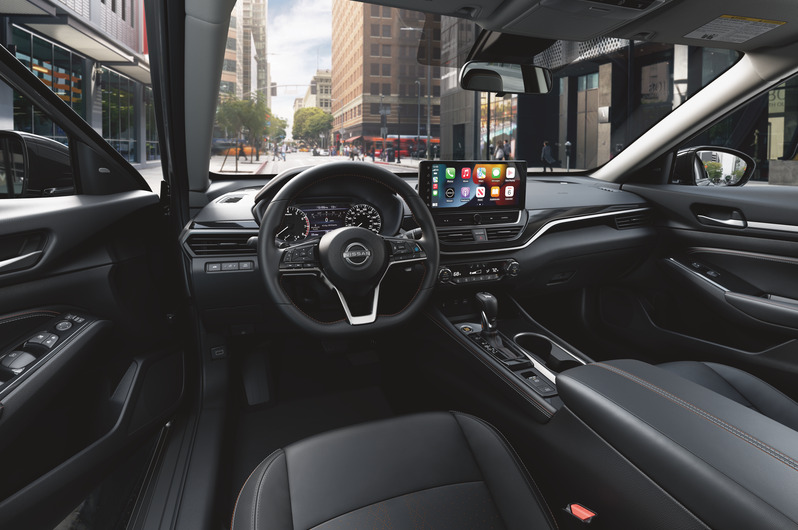
Nothing is worse than a wrong clock, especially in your car. When daylight savings comes around, you might forget to reset the clock in your car and realize this while driving. Stick around, and we’ll teach you how to change the clock in your Nissan.
Here’s a step-by-step process on how to set your car’s clock.
Changing Clock Settings
- Find the Setting button in your vehicle
- Click on “Clock”
- Choose between ‘Auto’, ‘Time Zone’ and ‘Manual’ settings
- Choose the correct Time Zone
- Toggle the “Daylights Savings” button if needed
- Set manual time if chosen
How to Set Clock Manually
- Click on the “set clock manually” button
- Adjust hours, minutes, days, months, and years as needed
Keeping your car’s clock set to the right time is important to stay on schedule. Don’t forget to keep it accurate!
Posted in: How to Guides
Do you have a question or idea you would like to be featured in a blog post?
Fill out this simple form.
2 responses to “Here’s how to change the clock in your Nissan”
Leave a Reply
Search Our Blog
Our RSS feed
Dealership Info
Phone Numbers:
Main: 314-475-1533
Sales: 314-475-1533
Service: 314-475-1533
Parts: 314-475-1533
Sales Hours:
Mon, Tue, Wed, Thu 9:00 AM - 8:00 PM
Fri, Sat 9:00 AM - 6:00 PM
Sun Closed
Service & Parts Hours:
Mon - Fri 7:00 AM - 5:30 PM
Sat Closed
Sun Closed
our clock changes every tome we start the car.
I would recommend bringing your car into the service department. Please call us at 314-475-1533 to schedule an appointment.